


In the Instant-Admin tile of the LinksysNOW web interface, you can do the following:
- Change the router password
- Add or change the router password hint
- Check if Automatic Firmware Update is turned ON
- Change time zone settings
- View the current firmware version
- Perform manual firmware updates
- Set transmit region settings for -AH models
Supported models:
- LN1600 series (LN1601, LN1602, and LN1603)
- SPNM60
- SPNM62
1. Log in to the web interface.
2. Click on Menu.
3. Click on Instant-Admin.


The "-AH" models have a Transmit Region setting. Make sure it is configured to the region where you will be using the router.
How to do a manual firmware update
Manual firmware updates are supported on all routers except for "-AH" regional models. If you own a Linksys model such as the Linksys LN1600-AH, make sure that Automatic Firmware Updates are enabled to receive the latest updates overnight. Contact Linksys Support if a manual update is required.
1. Click Manual update.
2. Click Choose file and select the firmware file that you downloaded.
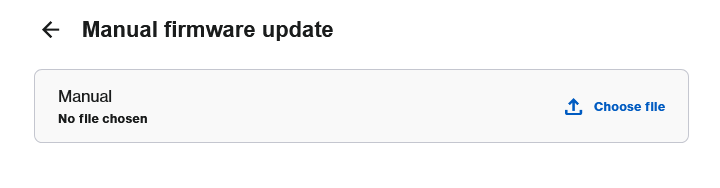
3. Click Start.

4. Wait while the firmware is installed. The router will then restart, and the link light on the parent router will begin blinking. You will temporarily lose connectivity until the router finishes restarting.


5. Once the light turns solid white and your WiFi name is visible, you can reconnect to the network.

