You are using an unsupported browser. Please update your browser to the latest version on or before July 31, 2020.
close
You are viewing the article in preview mode. It is not live at the moment.
> 产品概览 > 使用LinksysNOW > 配置LinksysNOW Instant-Devices设置
配置LinksysNOW Instant-Devices设置
print icon

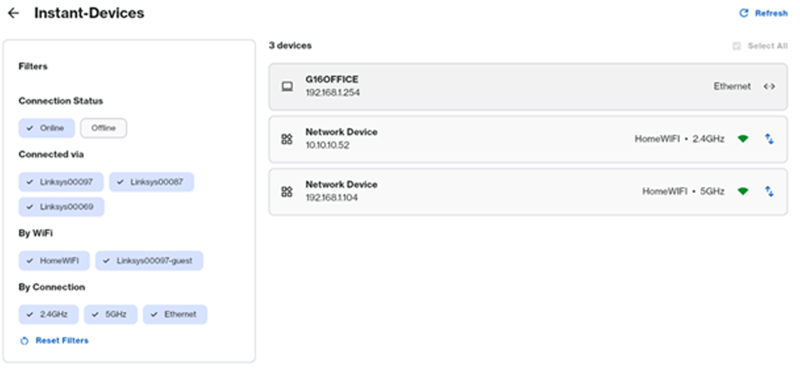
在LinksysNOW的Instant-Devices部分,你可以看到所有连接到网络的设备。


要访问此部分,请按以下步骤操作:


1. 登录网页界面


2. 点击Menu


Menu icon


3. 点击Instant-Devices


Instant-Devices section


使用左侧的过滤器按连接、节点或无线信号显示设备。


List of devices connected to the network


点击箭头 Arrow icon 图标会引导客户端选择更好的无线信号(如果有的话)。例如,如果你看到一个信号很弱的客户端,点击箭头图标断开它,客户端就会连接到信号最强的节点。
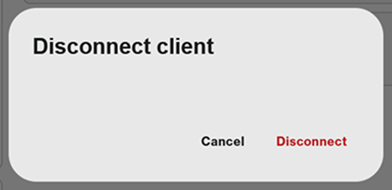
 

Disconnect client prompt with Cancel and Disconnect options


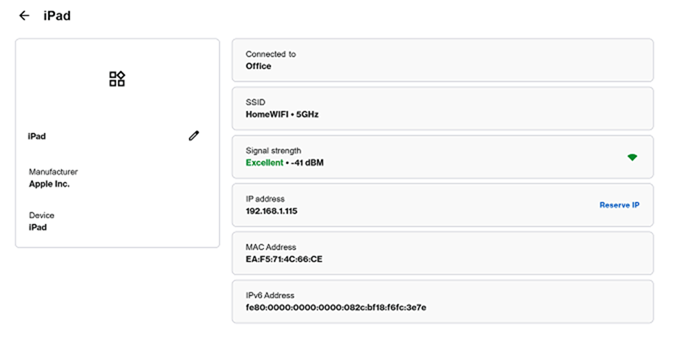
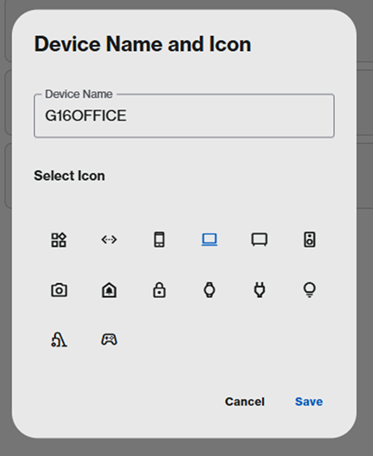
要查看特定设备的详细信息,请点击它。要更新设备名称或图标,点击pencil icon并选择Save


Details of a specific device


Device Name and Icon


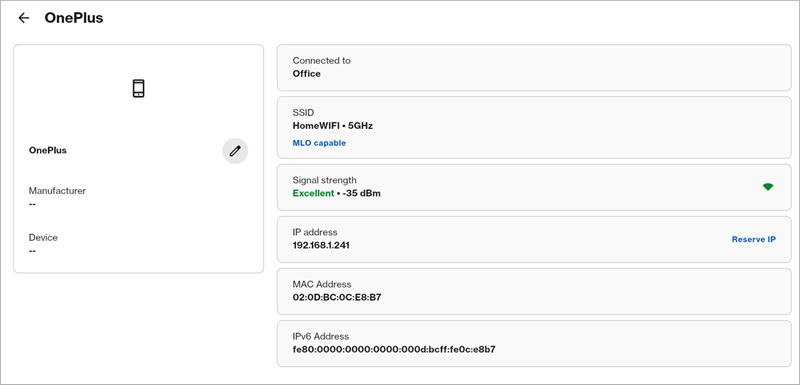
当启用MLO且连接了MLO客户端时,你会看到MLO支持标签。


Screenshot of a connected device showing MLO capable


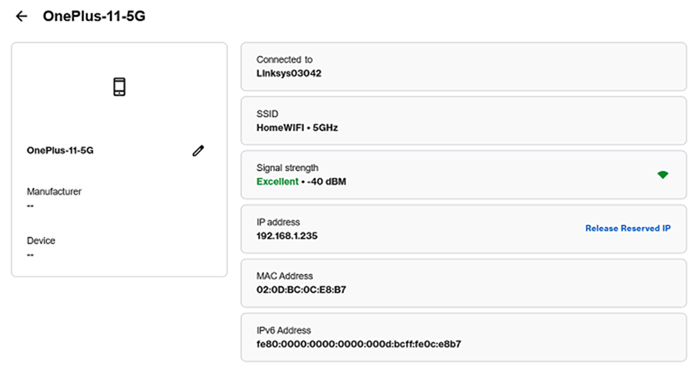
要为客户端保留IP地址,点击设备,然后点击Reserve IP。要移除DHCP预留,请点击Release Reserved IP


要分配特定的IP地址,先写下客户端的MAC地址,然后进入Advanced Settings


Screenshot of a client device showing Release Reserved IP

这篇支持文章有用吗?
0 / 0 觉得这很有帮助

联系我们
致电我们  访问我们的全球支持电话号码列表
Reddit  加入并订阅我们的官方 Reddit 社区
与我们聊天  我们将为您解答所有问题
Linksys
Now
Support
滚动到顶部图标