You are using an unsupported browser. Please update your browser to the latest version on or before July 31, 2020.
close
You are viewing the article in preview mode. It is not live at the moment.
> 产品概览 > 使用LinksysNOW > 了解 LinksysNOW Instant-Verify 设置
了解 LinksysNOW Instant-Verify 设置
print icon
LinksysNOW界面的Instant-Verify页面提供了网络状态的概览。
 
设置可能因型号而异。


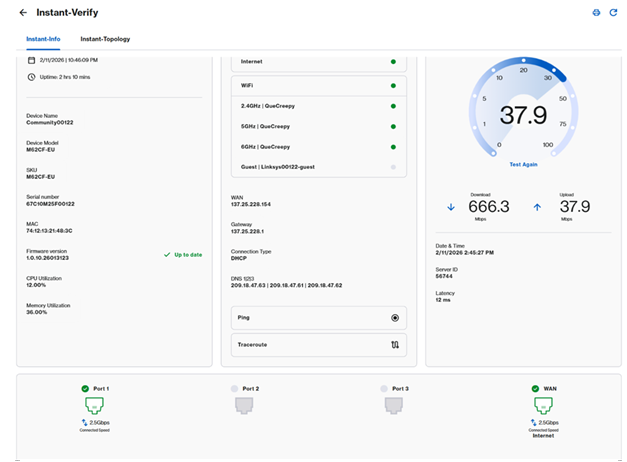
即时信息标签提供路由器的快速摘要。设置可能会根据你设备的型号有所不同。
 
登录路由器的网页界面,点击Menu > Instant-Verify > Instant-Info
 
SPNM60 和 SPNM62
 
Screenshot of the Instant-Info page overview on the SPNM60 or SPNM62 model interface


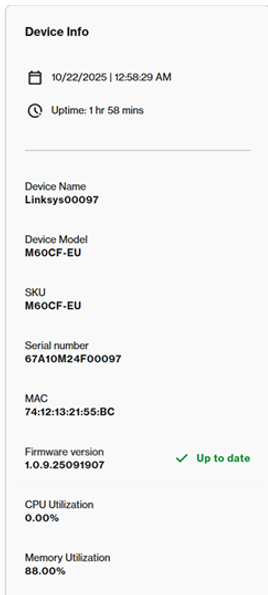
设备信息图块显示以下信息:
 
  • 当前时间、日期及运行时间
  • 设备名称
  • 型号系列、SKU、序列号和MAC地址
  • CPU 与内存利用率
  • 当前固件版本
Screenshot of the Device Info dashboard tile presenting firmware, MAC address, uptime, and system status variables


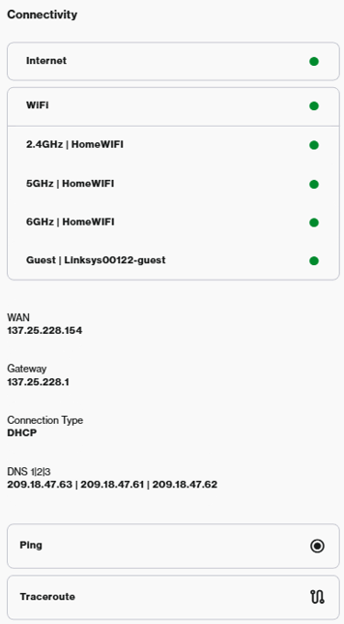
连接图块显示以下设置:
 
  • 互联网状态
  • WiFi 状态——去 Incredible WiFi 图块配置 WiFi。
  • WAN IP地址和连接设置——要配置互联网设置、DHCP服务器或DNS设置,请进入高级设置
  • Ping 和 Traceroute 诊断
Screenshot of the Connectivity tile layout presenting overall network status, WAN configuration info, and troubleshooting test options


速度测试服务因型号而异。
 
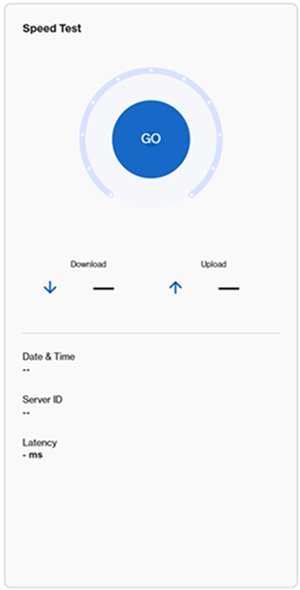
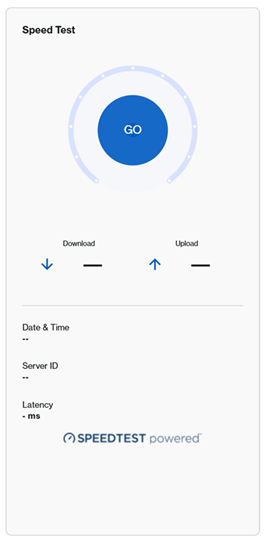
要运行速度测试,请点击GO按钮或“再次测试”。
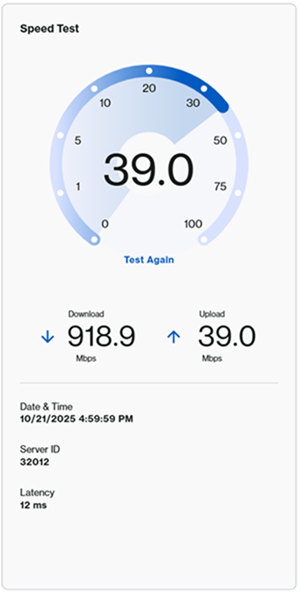
 
Screenshot highlighting the Speed Test configuration tile before running a test  Screenshot displaying the action execution view with the Test Again option after finishing a Speed Test
 
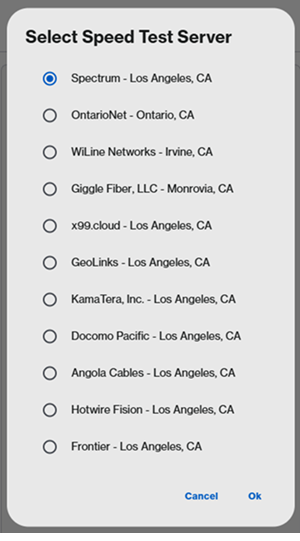
有些型号需要先选择服务器。
 
Screenshot highlighting server selection configuration fields prior to running the diagnostic test Screenshot showing an alternative layout context variant for selecting preferred local network test servers
 
LN1600系列— —提供第三方测速服务,如CloudFlare或 Fast.com。选择一个服务来运行测试。
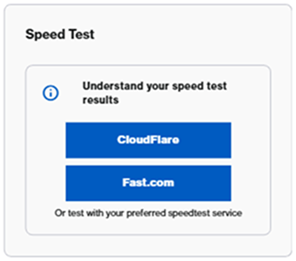
 
Screenshot of the alternate integrated diagnostic utility widget featuring toggle presets for third-party optimization tools like Fast.com and CloudFlare


端口布局描述因型号而异。
 
SPNM60/SPNM62
 
Linksys SPNM60 和 SPNM62 支持三个局域网端口和一个互联网端口。所有端口都是多链路的。
 
滚动到页面底部查看当前使用的端口和当前速度。连接速度取决于连接的设备。

 
Graphic schematic monitoring widget demonstrating live toggle link speeds across specific Internet and LAN ports for the SPNM60 or SPNM62 hardware
 
SPNM60
 
  • 一个2.5 Gbps的互联网端口
  • LAN端口1到3支持最高2.5 Gbps
SPNM62
 
  • 一个10 Gbps的互联网端口
  • 端口1和端口2支持最高2.5 Gbps
  • 端口3支持最高10 Gbps
LN1600系列
 
Linksys LN1600 支持一个多链路以太网端口,最高速度为 2.5 Gbps。
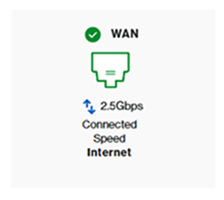
 
Port status identification visualizer representing layout indicators mapping the available active links for LN1600 series routers


在即时拓扑图块中,你可以查看节点的排列及其与网络连接方式的详细信息。了解更多
这篇支持文章有用吗?
0 / 0 觉得这很有帮助

联系我们
致电我们  访问我们的全球支持电话号码列表
Reddit  加入并订阅我们的官方 Reddit 社区
与我们聊天  我们将为您解答所有问题
Linksys
Now
Support
滚动到顶部图标