


Changing the WiFi name and password of the Linksys LN1600

It is recommended to change the basic WiFi settings of your Linksys LN1600 to establish a unique and secure connection and prevent unwanted access to your WiFi.
1. Log in to the router's web interface.
2. Click on Menu.

3. Click on Incredible-WiFi.

4. In the WiFi tab, go to the WiFi band you want to edit and click on the edit  icon.
icon.
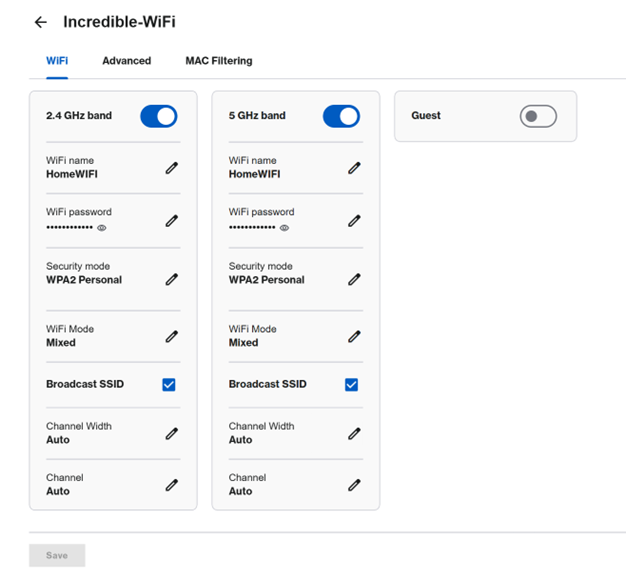
5. Enter your new WiFi name and password and click Save.
6. If you want to download the QR code with the new WiFi credentials, go to the Home page and click on the QR code  icon on a WiFi tile, then click on Download QR. Repeat the steps for all radio bands if the credentials are different.

Find out more:

