You are using an unsupported browser. Please update your browser to the latest version on or before July 31, 2020.
close
You are viewing the article in preview mode. It is not live at the moment.
> 제품 개요 > Using LinksysNOW > Configuring the LinksysNOW Instant-Safety settings
Configuring the LinksysNOW Instant-Safety settings
print icon

The Instant-Safety feature allows you to block inappropriate online content through a service provided by OpenDNS. This feature is not supported if your router is in bridge mode.


1. Log in to the router’s web interface.


2. Click on Menu.

 

Menu icon


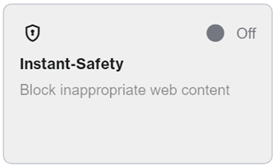
3. Click on Instant-Safety.


Instant Safety section


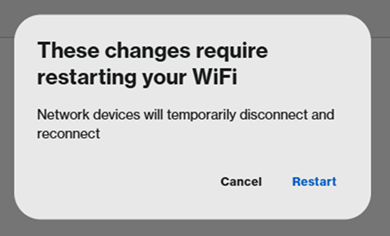
4. To enable this feature, toggle the switch to ON. When prompted, click Restart. You will temporarily lose WiFi connection while the change is being applied.
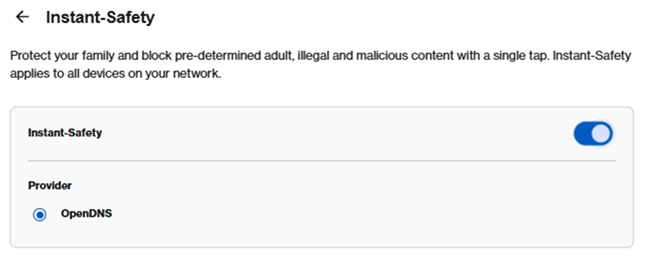
 

Instant Safety enabled


A prompt to select Cancel or Restart once the changes are saved


To check the DNS numbers in use, go to Menu > Advanced settings > Local Network > DHCP Server.
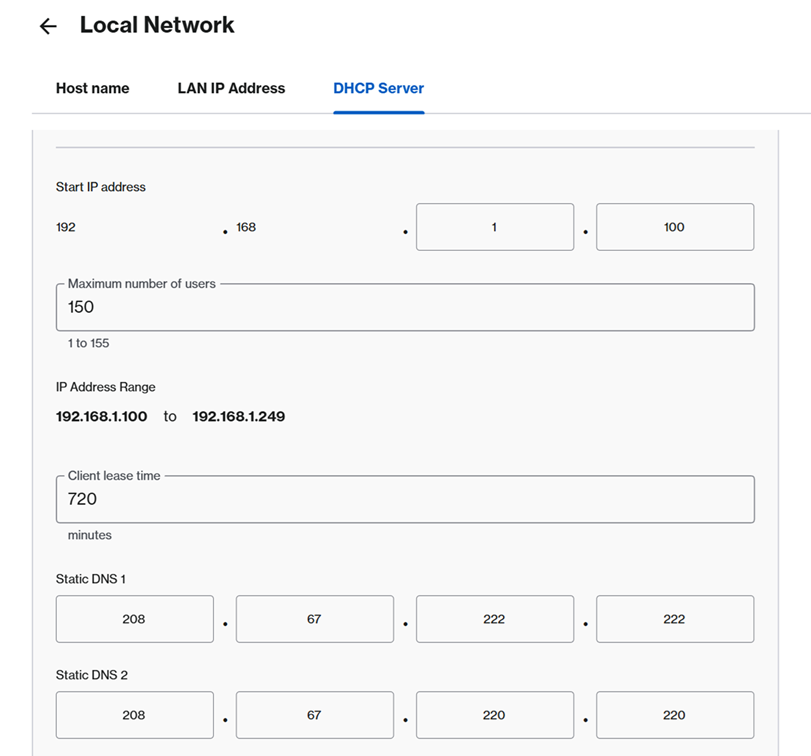
 

DHCP Server section

이 지원글이 도움이 되었나요?
0 에서 0 도움이 되었음

연락처
전화 문의  글로벌 지원 번호 목록에 액세스
Reddit  공식 Reddit 커뮤니티에 가입하고 구독하세요.
저희와 채팅하기  궁금한 점이 있으시면 언제든지 문의해 주세요.
Linksys
Now
Support
상단 아이콘으로 스크롤