


The Linksys Managed Switch for Business offers a quick and easy solution to extend your office network. The switch features gigabit speed ports and a web interface for easy configuration and management for networking devices to be located anywhere without the need for alternating current (AC) outlets.
This article will show you how to download a backup file to a designated folder on your computer or to a TFTP server and restore your switch’s configuration. Click on the links below for specific instructions.
Backup configuration
Restore configuration
2. Click on the menu
 icon located at the upper-left corner of the web interface.
3. Click on Configure.
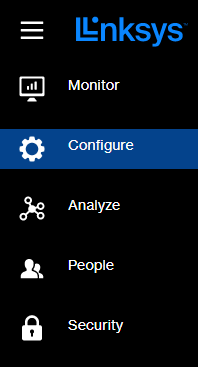
4. Select Firmware or Maintenance tab if you have the latest firmware. You may need to scroll down in the Configure menu to see the option.
Menu navigation may vary by model.
 |
 |
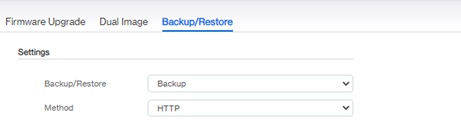
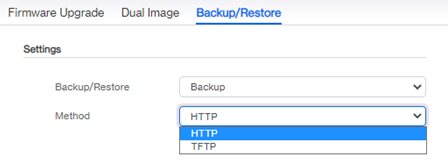
7. Click
 to download the switch’s configuration settings to your computer or a TFTP server. Click Apply again to confirm.
1. Access the web interface of your switch.
2. Click on the menu
 icon located at the upper-left corner of the web interface.
3. Click on Configure.
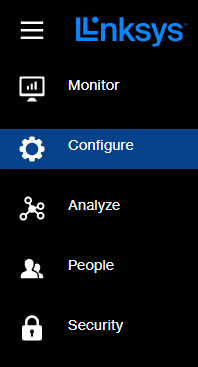
4. Select Firmware or Maintenance tab if you have the latest firmware. You may need to scroll down in the Configure menu to see the option.
Menu navigation may vary by model.
 |
 |
6. Select Restore on the drop-down menu.
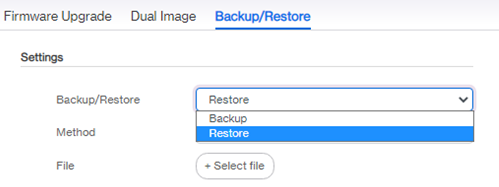
7. Select a Method (either HTTP or TFTP).
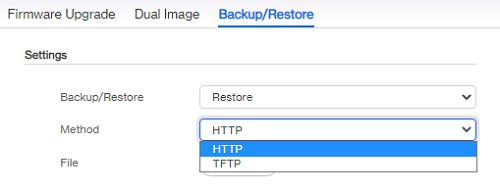
8. If you have selected HTTP, click the
 button to select and upload the configuration file that you have saved to the system. If you have selected TFTP, enter the TFTP Server and the File Name in the fields provided.
9. Click Apply to restore the switch’s configuration settings then click Apply again to confirm.

