You are using an unsupported browser. Please update your browser to the latest version on or before July 31, 2020.
close
You are viewing the article in preview mode. It is not live at the moment.
> 進階配置 > How to give your Linksys Pinnacle Mesh routers a friendly name
How to give your Linksys Pinnacle Mesh routers a friendly name
print icon

To better identify your nodes in the network, you can give them a friendly name.


1. Log into the web interface of your router.


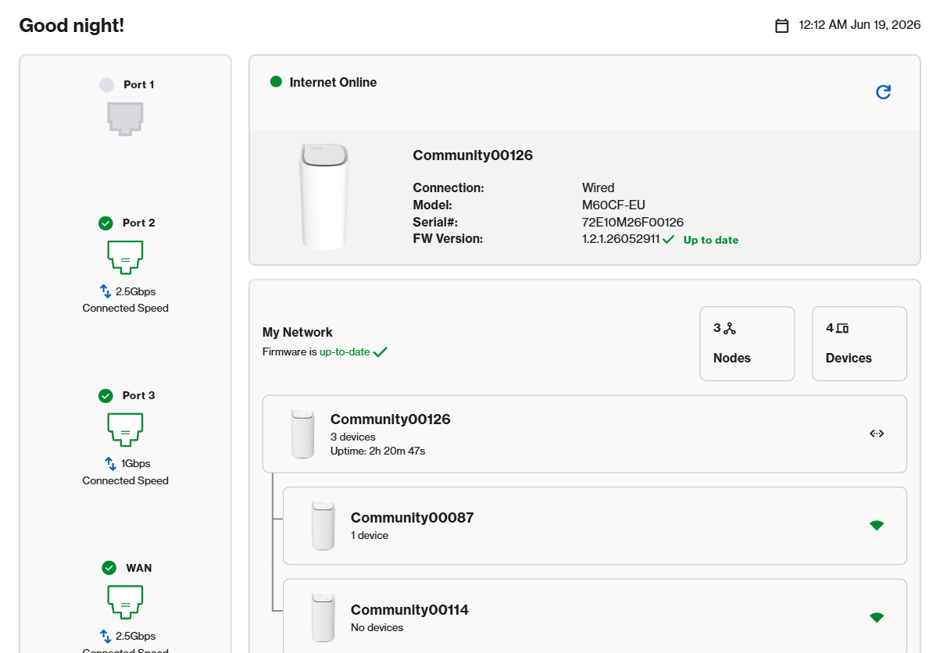
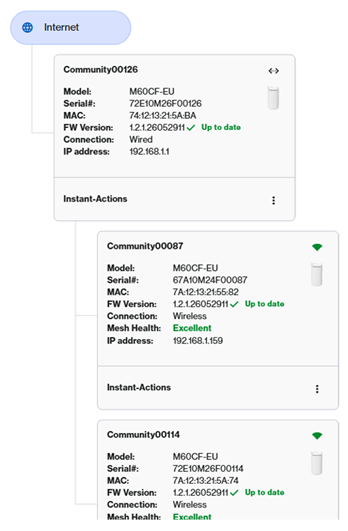
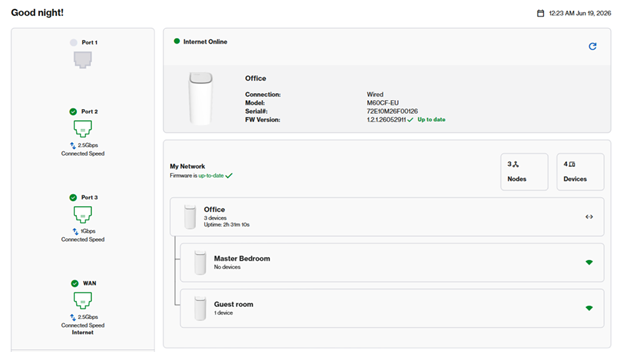
2. In this example, we have a parent and two child nodes. Go to Menu > Instant-Topology.


Instant Topology page


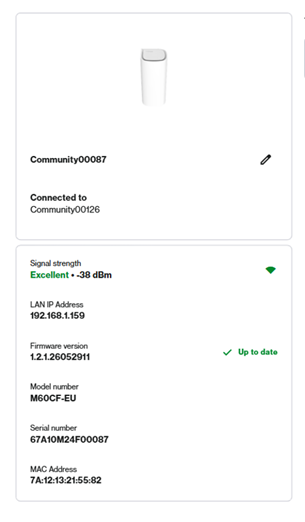
3. The first tile is your parent router, which is connected to your modem. All others are your child node. Click on a node.


Node's page


4. You can either identify each node by its serial number, then click on  to edit the name.


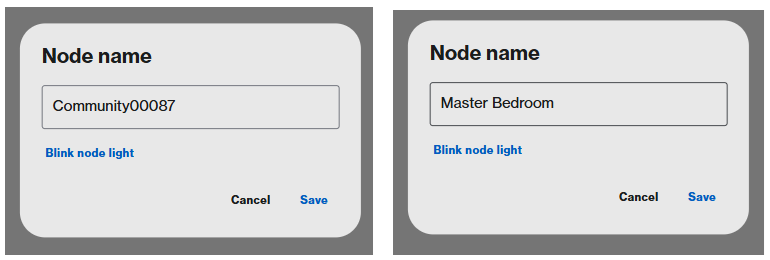
Edit the name of the node page


Click on Blink node light. The router LED will begin blinking white for 20 seconds. Once you have determined your router, enter a friendly name and click Save.


Enter the friendly name in this field


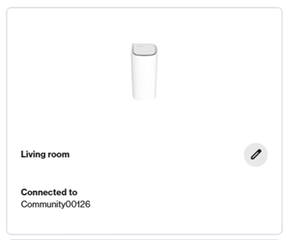
New name of the node displayed


5. Repeat the steps with the remaining nodes.


6. Once you are done, you can now determine your node in the network.


Updated Instant Topology page

這篇支援文章有用嗎?
0 / 0 覺得這很有幫助

聯絡我們
致電我們  存取我們的全球支援號碼清單
Reddit  加入並訂閱我們的官方 Reddit 社群
與我們聊天  我們樂意為您解答所有問題
Linksys
Now
Support
滾動到頂部圖標