You are using an unsupported browser. Please update your browser to the latest version on or before July 31, 2020.
close
You are viewing the article in preview mode. It is not live at the moment.
ホーム > 高度な詳細設定 > How to give your Linksys Pinnacle Mesh routers a friendly name
How to give your Linksys Pinnacle Mesh routers a friendly name
print icon

To better identify your nodes in the network, you can give them a friendly name.


1. Log into the web interface of your router.


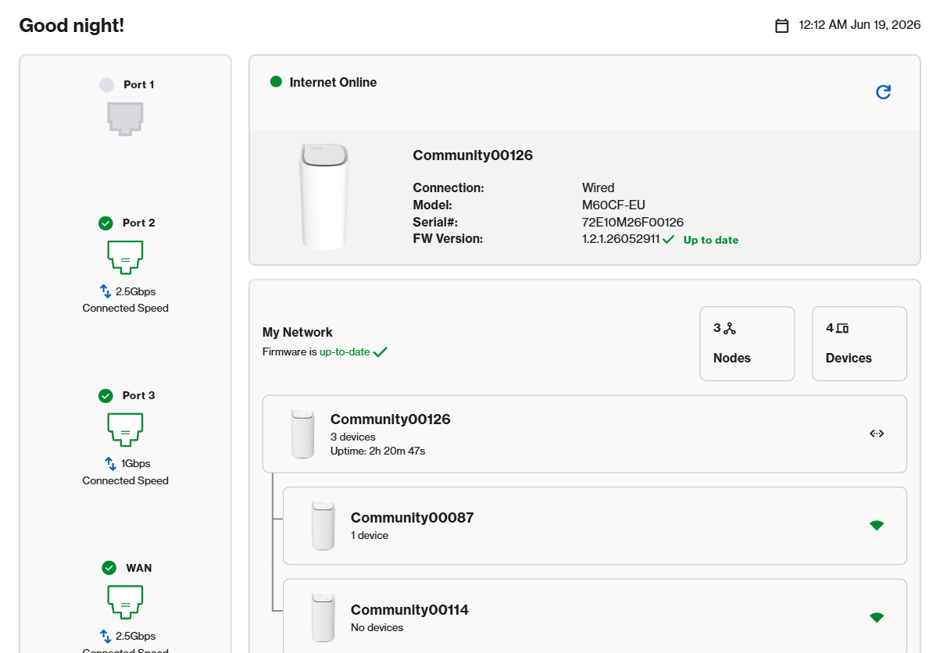
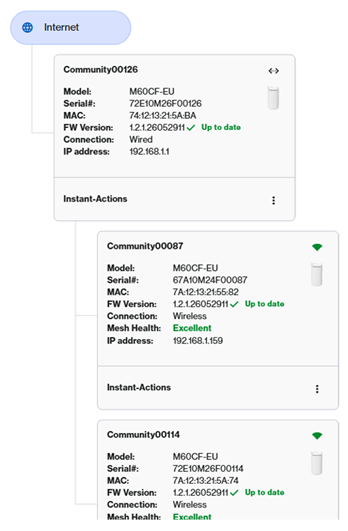
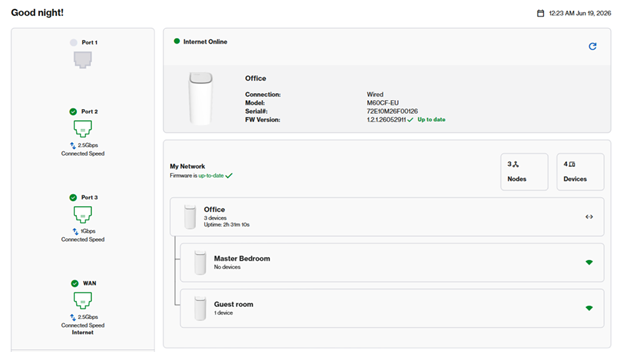
2. In this example, we have a parent and two child nodes. Go to Menu > Instant-Topology.


Instant Topology page


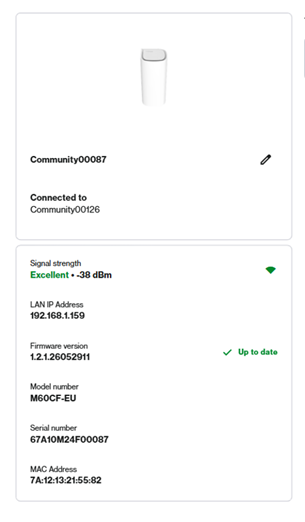
3. The first tile is your parent router, which is connected to your modem. All others are your child node. Click on a node.


Node's page


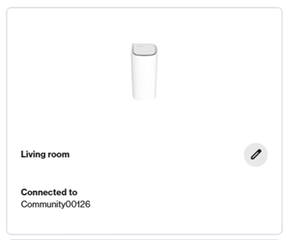
4. You can either identify each node by its serial number, then click on  to edit the name.


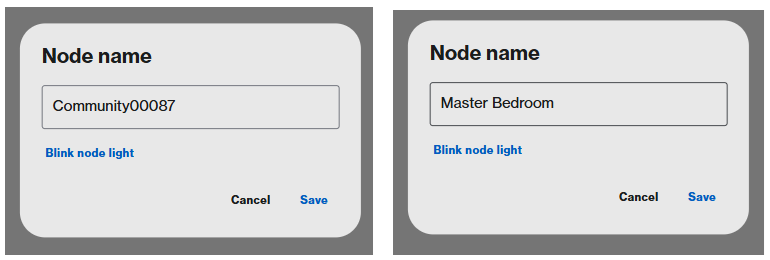
Edit the name of the node page


Click on Blink node light. The router LED will begin blinking white for 20 seconds. Once you have determined your router, enter a friendly name and click Save.


Enter the friendly name in this field


New name of the node displayed


5. Repeat the steps with the remaining nodes.


6. Once you are done, you can now determine your node in the network.


Updated Instant Topology page

このサポート記事は役に立ちましたか?
0 のうち 0 がこれが役に立ったと感じています

Linksys製品カスタマーサポート
営業時間:午前9時~午後5時(月曜日~金曜日)
サポートダイアル 03-6851-4359
オンラインチャット 英語・日本語対応
Reddit コミュニティを検索

Linksys(リンクシス)は1988年に米国カリフォルニア州で生まれ、インターネット黎明期より世界中のネット環境を支え続けている老舗ネットワーク機器の専業メーカーです。世界中のインターネットプロバイダに製品供給を行っており、世界累計出荷台数は2億5千万台を超えています。私たちは、お客様のプライバシーを最優先し、インターネット通信における安全・安心を提供します。
Linksys
Now
Support
トップアイコンにスクロール