You are using an unsupported browser. Please update your browser to the latest version on or before July 31, 2020.
close
You are viewing the article in preview mode. It is not live at the moment.
ホーム > 製品概要 > メッシュシステム > Overview of the status light on the Linksys Pinnacle Mesh router
Overview of the status light on the Linksys Pinnacle Mesh router
print icon

The Linksys Pinnacle Mesh routers have a single status light that provides information about their operation.


Supported models:


  • SPNM60
  • SPNM62


Before you begin:
 

  • Parent router – The Linksys Mesh router connected to your modem or internet source.
  • Child node – An additional Linksys Mesh node that can be added to extend your WiFi network.
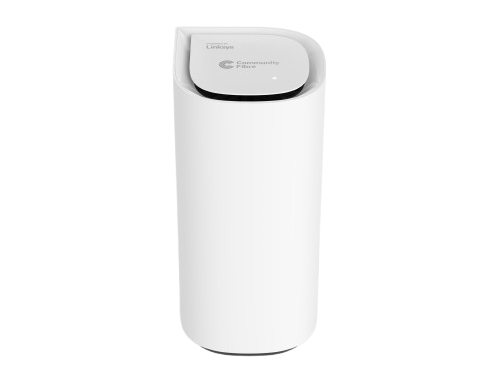
 

Pinnacle Mesh router


Light Color Status Description
None OFF
  • The router is not powered ON
  • Night mode feature is enabled, and the light automatically turns OFF from 8:00 PM to 8:00 AM
Blue

Blue light
Blinking
  • The router is booting up
Solid
  • The node is ready for setup
White

White light
Blinking
  • Setup or pairing is in progress
  • Firmware update in progress
  • The pair button has been pressed
  • The pause button has been pressed: both parent and child nodes will have the blinking LED during the pause
  • The privacy switch has been enabled
Solid
  • Node is set up and online
Red

Red light
Solid
  • No internet connection. Check your internet connection.
Blinking
  • While pressing the reset button (blinking light in a fading effect)
  • The child node is disconnected from the parent router. Try restarting the child node, or the parent router, or moving the child node closer to the parent router.
Alternate blinking between red and white

For Linksys SPNM60TB only:
 

  • The external Pause button has been pressed. The Internet is paused for 120 seconds. Light will alternate between red and white on both parent and child nodes during the internet pause. To stop it, just press the Pause button again.
Orange

Orange light
Blinking
  • During pairing a new child node, no new child node was found. Try moving the child node closer.
Solid
  • The test button has been pressed, and the DNS or WiFi test has failed. Reboot the parent router to return the LED to its previous state. Learn more.
Green

Green light
Solid
  • Solid for 30 seconds. The test button has been pressed, and all tests have passed.
このサポート記事は役に立ちましたか?
0 のうち 0 がこれが役に立ったと感じています

Linksys製品カスタマーサポート
営業時間:午前9時~午後5時(月曜日~金曜日)
サポートダイアル 03-6851-4359
オンラインチャット 英語・日本語対応
Reddit コミュニティを検索

Linksys(リンクシス)は1988年に米国カリフォルニア州で生まれ、インターネット黎明期より世界中のネット環境を支え続けている老舗ネットワーク機器の専業メーカーです。世界中のインターネットプロバイダに製品供給を行っており、世界累計出荷台数は2億5千万台を超えています。私たちは、お客様のプライバシーを最優先し、インターネット通信における安全・安心を提供します。
Linksys
Now
Support
トップアイコンにスクロール