


Configuring the Parental Controls feature by a Schedule using your Linksys app for Velop
The Parental Controls and Family Time feature lets you create a schedule to block internet access for a device at a certain time and day. You can also create multiple schedules for a device. There are no limitations. To do this, follow the instructions below:
Web interface
1. Open a web browser to access your router's web interface.
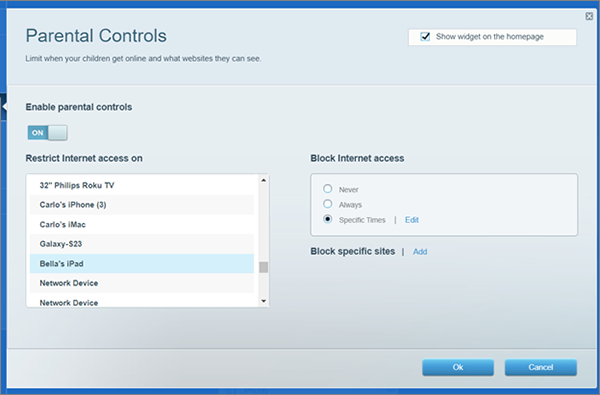
2. Choose Parental Controls from the main menu and turn it ON.
3. Pick a device from the list, select Specific Times, and click Edit.
4. Select a schedule to block internet access for the device selected, then click Ok.
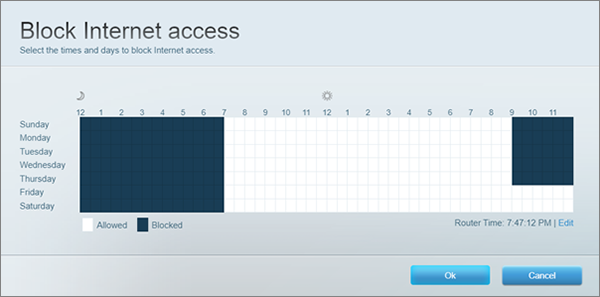
5. Click Ok again to save your settings.
Find out more:
1. Open a web browser to access your router's web interface.
2. Choose Parental Controls from the main menu and turn it ON.
3. Pick a device from the list, select Specific Times, and click Edit.
4. Select a schedule to block internet access for the device selected, then click Ok.
5. Click Ok again to save your settings.
Find out more:
How to pause internet access using the Parental Controls feature

