You are using an unsupported browser. Please update your browser to the latest version on or before July 31, 2020.
close
You are viewing the article in preview mode. It is not live at the moment.
Home > Product Overviews > Mesh Systems > Overview of the status light on the Linksys Pinnacle Mesh router
Overview of the status light on the Linksys Pinnacle Mesh router
print icon

The Linksys Pinnacle Mesh routers have a single status light that provides information about their operation.


Supported models:


  • SPNM60
  • SPNM62


Before you begin:
 

  • Parent router – The Linksys Mesh router connected to your modem or internet source.
  • Child node – An additional Linksys Mesh node that can be added to extend your WiFi network.
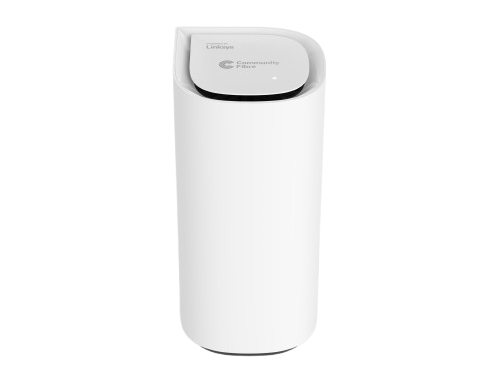
 

Linksys Pinnacle Mesh router


Light Color Status Description
None OFF
  • The router is not powered ON
  • Night mode feature is enabled, and the light automatically turns OFF from 8:00 PM to 8:00 AM
Blue

Blue light
Blinking
  • The router is booting up
Solid
  • The node is ready for setup
White

White light
Blinking
  • Setup or pairing is in progress
  • Firmware update in progress
  • The pair button has been pressed
  • The pause button has been pressed
Solid
  • Node is set up and online
Red

Red light
Solid
  • No internet connection. Check your internet connection.
Blinking
  • While pressing the reset button (blinking light in a fading effect)
  • The child node is disconnected from the parent node. Try restarting the child node, or the parent router, or moving the child node closer to the parent router.
Orange

Orange light
Blinking
  • During pairing a new child node, no new child node was found. Try moving the child node closer.
Solid
  • The test button has been pressed, and the DNS or WiFi test has failed. Reboot the parent router to return the LED to its previous state. Learn more.
Green

Green light
Solid
  • Solid for 30 seconds. The test button has been pressed, and all tests have passed.
Was this support article helpful?
0 out of 0 found this helpful

Contact Us:
Call Us Access our list of global support numbers
Reddit Join and subscribe to our Official Reddit Community
Chat Us We are here to help you with all the questions you have

Linksys
Now
Support
scroll to top icon