


For Community Fibre subscribers in the UK: If your router has been reset, please follow the steps provided below.
Before you begin:
- The Linksys SPNM60CF or SPNM62CF provided by Community Fibre supports Auto-Master (also known as ACS Automatic Configuration Server). Once connected directly to the Community Fibre modem, the router will automatically configure itself.
- Parent router - Your primary Linksys Mesh router that connects directly to your modem.
- Child node - A secondary Linksys Mesh node used to extend your WiFi coverage.
1. Place all equipment near your modem.
2. Disconnect any existing router and power cycle your modem.
3. Connect the parent router to your ISP equipment using the supplied ethernet cable (from the router’s Internet 1 port).
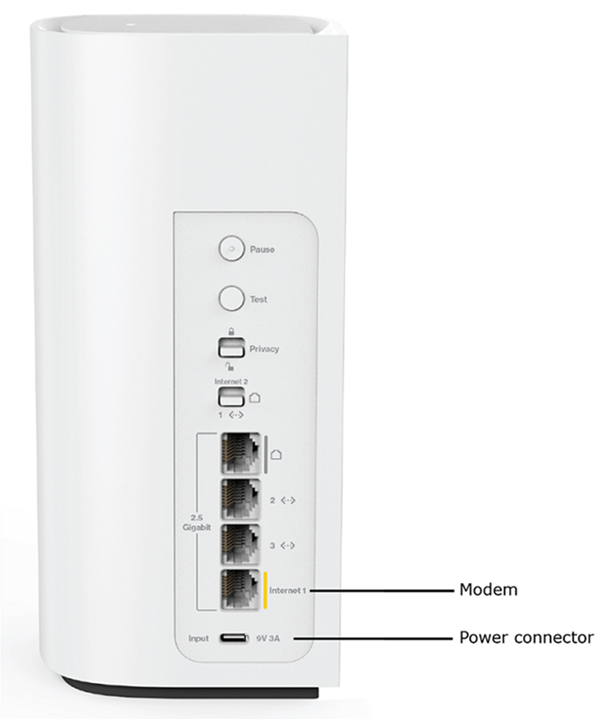
4. Plug in the power adapter and power ON the router. Follow these steps to learn how to assemble the accessory plug to the power adapter.
5. When the router is ready for setup, the light will turn solid blue. Once an internet connection is detected, the light will start blinking white, and then transition to solid white to indicate setup is complete.
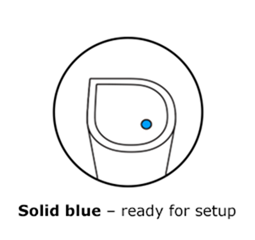
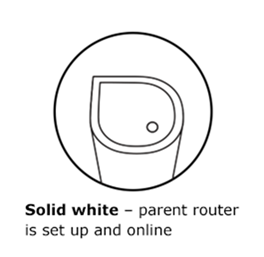
6. Once the light turns solid white, your setup is finished.
7. You may now connect your WiFi devices to the new network. The default WiFi credentials can be found on the label at the bottom of the parent router. To personalize your network settings, log in to your router’s web interface. To add more child nodes, follow these instructions.
Router Light Did Not Turn Solid White? Try the following steps:
- If the light remains solid blue:
- Ensure the ethernet cable is securely connected from the Internet 1 port on the Linksys router to your modem.
- Power cycle both your modem and router.
- Additional equipment installed? If additional networking equipment is installed between your modem and the Linksys router, and the light still doesn't turn solid white, you may need to set up the router using the Pair button setup method. Learn more.
- Online, but the light is still solid blue? This can indicate that the router was not properly set up and has not converted into a parent router. You will need to use the Pair button setup method, as some features may not work when the router is in this state. Learn more.
- Light is solid red?
- Hold down the reset buttons for 20 seconds, then try again.
- If the issue persists, contact your ISP to verify the internet connection is active.

