In this guide, we’ll walk you through the essential setup process to activate Multi-Link Operation (MLO) on your Linksys OpenWRT router, including important prerequisites and step-by-step configuration instructions to ensure a smooth and stable connection.
 We strongly recommend performing these steps using a wired computer to avoid connection issues.
- All three SSIDs must have exactly the same name.
- All three SSIDs must use WPA3-SAE encryption.
- All three SSIDs must share the same security key.
Follow these steps to configure the wireless settings on your Linksys OpenWRT router.
1. Connect an ethernet cable from the ethernet port of your router to your computer.
2. Log in to the router’s web interface.
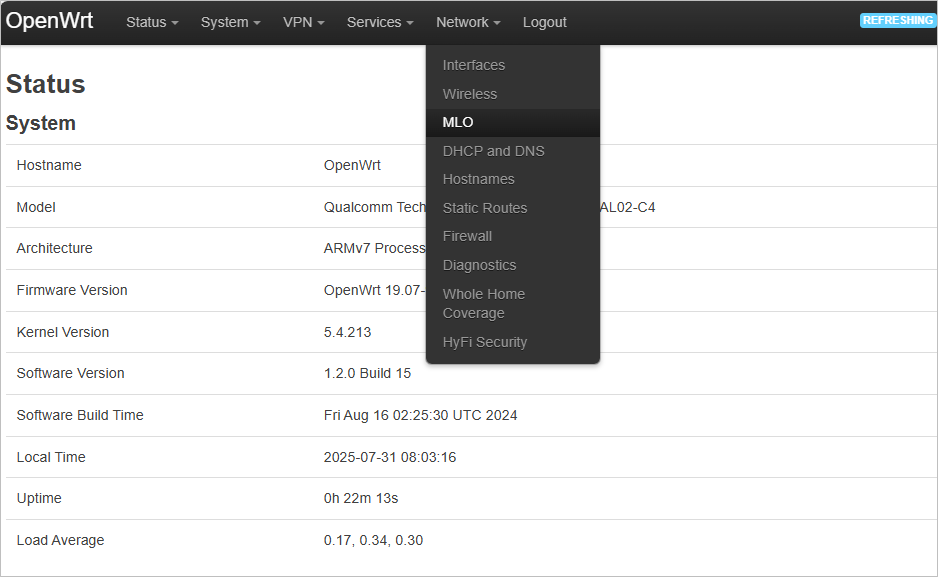
3. Navigate to Network > MLO.
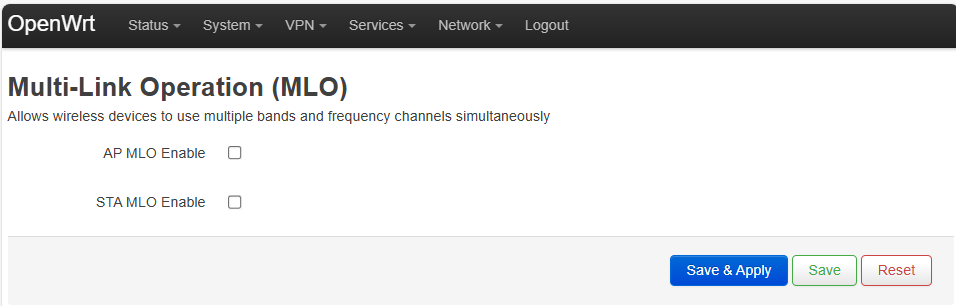
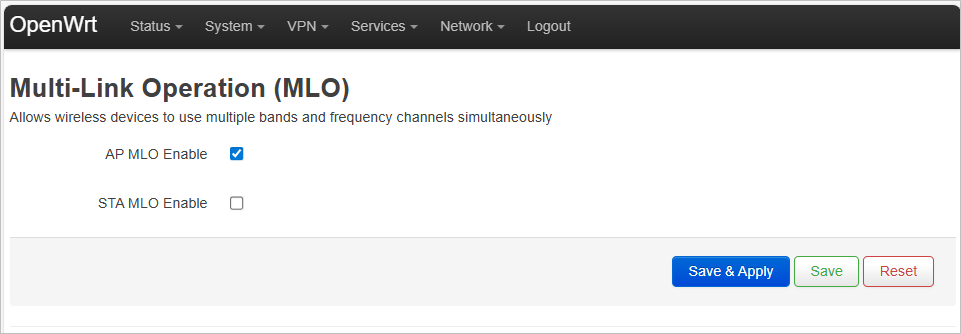
4. Check the box labeled AP MLO Enable.
5. Hit Save & Apply.
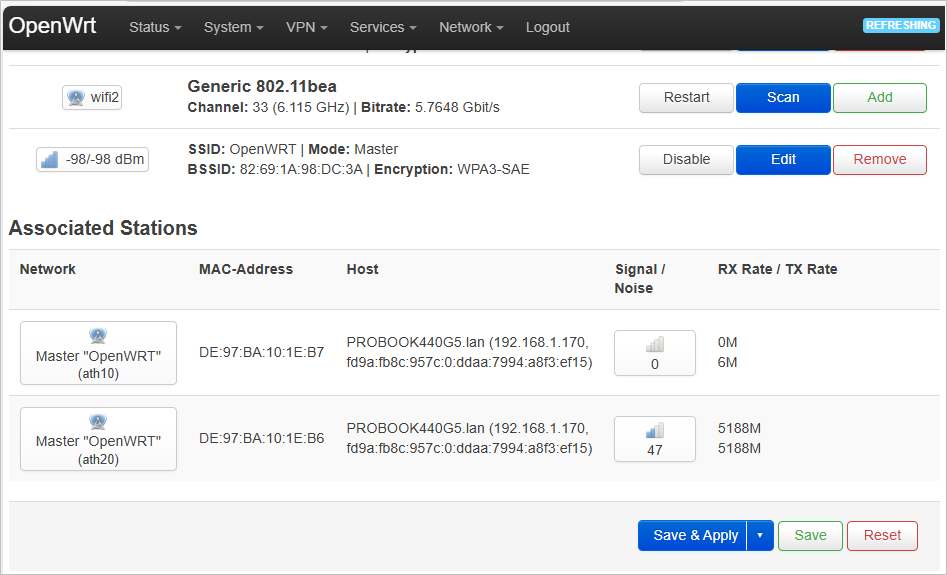
6. To verify if your device is connected via MLO, navigate to Network > Wireless, then scroll down to the Associated Stations section. Check if your device is connected to two or three radios.
 Some devices may show connections to multiple radios (two or three), but only one may be active at a time. Only the active radio will display a TX/RX rate; the others will appear inactive.