You are using an unsupported browser. Please update your browser to the latest version on or before July 31, 2020.
close
You are viewing the article in preview mode. It is not live at the moment.
> 로그인 및 암호 > Changing your Linksys Intelligent Mesh admin password
Changing your Linksys Intelligent Mesh admin password
print icon

This article will help you create or change your router’s admin password through the router's web user interface.

NOTES:  

  • The default password of a Linksys Intelligent Mesh router that has older firmware is admin
  • With the latest firmware, routers that support IMDA no longer use admin as the default password.
  • For Airband ISP subscribers, the default administrator password of an unconfigured Linksys node is admin. After you set up the node or it has an internet connection, the default admin password changes to the unique pre-assigned WiFi password located on the product label.  
  • For Gigaclear ISP subscribers, the default administrator password of an unconfigured Linksys node is admin. Once the node has an internet connection, the password changes to the default WiFi Password (this is case-sensitive) plus the Recovery Key number, located on the product label. 


Images may vary depending on your router. 

1.
Open a web browser to access your router's web interface.
 
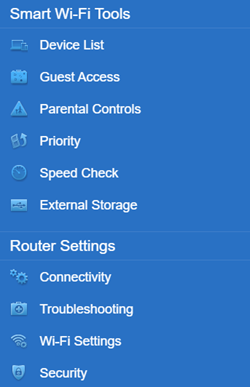
2. Click Connectivity under Router Settings.


Linksys Web interface Menu
 
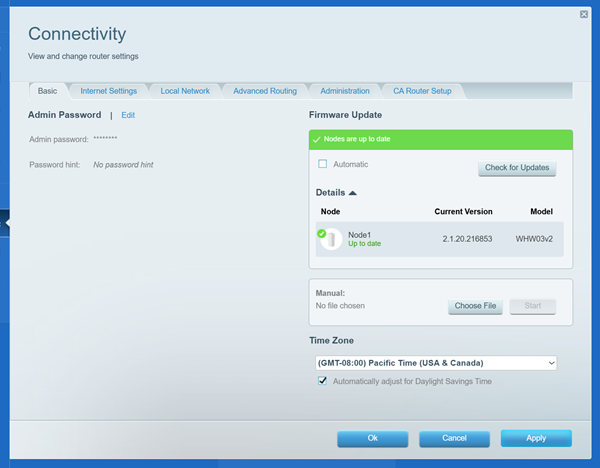
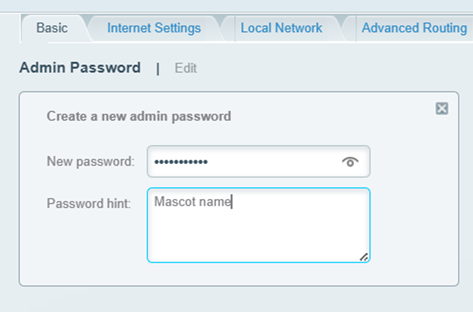
3. On the Basic tab, click Edit next to Router Password and enter your preferred password.

An image of Admin password edit and Firmware update
 
4. Click the Apply button to save the changes.
 
You should now have changed your admin password.


Find out more:


Customizing the different WiFi bands of your Linksys router
이 지원글이 도움이 되었나요?
0 에서 1 도움이 되었음

연락처
전화 문의  글로벌 지원 번호 목록에 액세스
Reddit  공식 Reddit 커뮤니티에 가입하고 구독하세요.
저희와 채팅하기  궁금한 점이 있으시면 언제든지 문의해 주세요.
Linksys
Now
Support
상단 아이콘으로 스크롤