How to block specific websites using the Parental Controls feature

This article will show you how to block specific websites using Parental Controls.
Web interface
1. Log in to the router’s web interface.
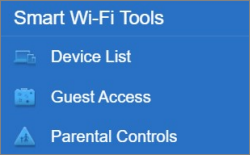
2. Click on Parental Controls.
3. Enable Parental Controls and select a device from the list.
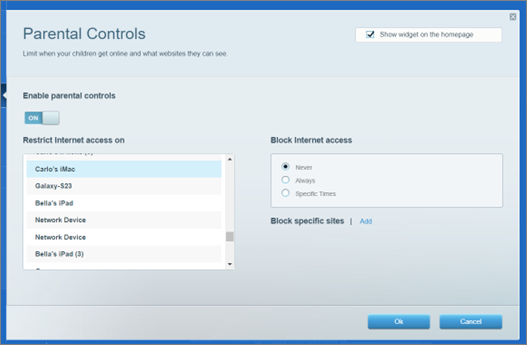
4. Click on Add.

5. Enter a website, then press [Enter].

The blocked site will appear in the section as shown below.

6. Click Apply to save the settings and Ok to close the page.
NOTE: If your Linksys app is not available, use the web interface to block specific websites instead.
1. Log in to the Linksys app.
2. Go to the Parental Controls section of your Linksys app. If you haven’t set up Parental Controls on any devices, tap Control a Device.
2. Go to the Parental Controls section of your Linksys app. If you haven’t set up Parental Controls on any devices, tap Control a Device.
If you already have Parental Controls on one or more devices, select one of them from the list or tap Add a device to select a new device.
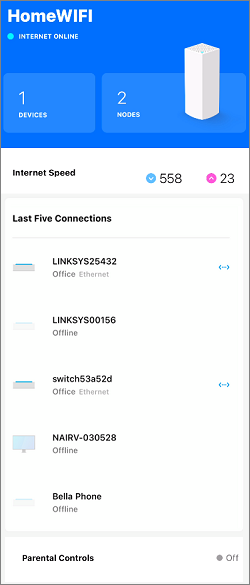
3. Select a device from the list
4. Select Block Specific Websites.
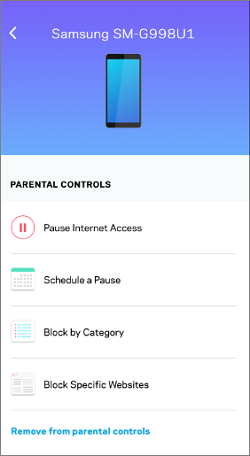
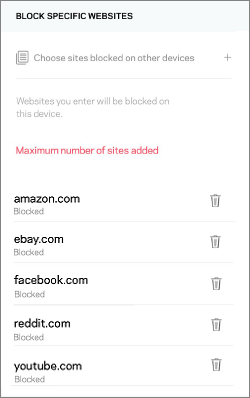
5. Enter up to 10 websites and tap Save.
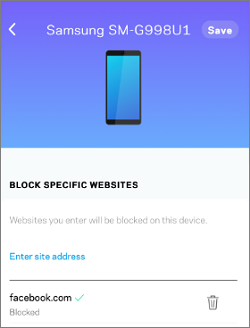
If you want to unblock a website, just tap on the trash bin icon next to it.
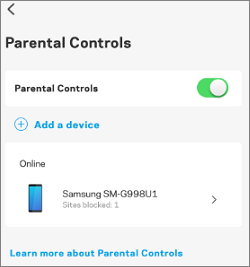
The number of blocked sites will appear next to Block Specific Websites for the device.

A client with blocked sites will appear in the Parental Controls as shown below.
6. When you add another client device, you will have the Choose from sites already entered option.

This allows you to select from the existing blocked sites. Make sure to tap Save to apply changes.

Once you have reached the limit, the Maximum number of sites added message will appear.