


How to log in to the Linksys app – For StarHub
The Linksys app dashboard is your mesh WiFi system's homepage. Here, you can see the internet connection status, the number of devices connected to the network, and other features to help you manage your home WiFi. This article will show you how to access the dashboard of the Linksys app.
Requirements
1. An iOS or Android™ device with the latest Linksys app version
Directions
Some features will vary by model.
1. Connect your mobile device to your mesh WiFi and launch the Linksys app.
2. For iOS, tap on Manage Your Wi-Fi.
2. For iOS, tap on Manage Your Wi-Fi.
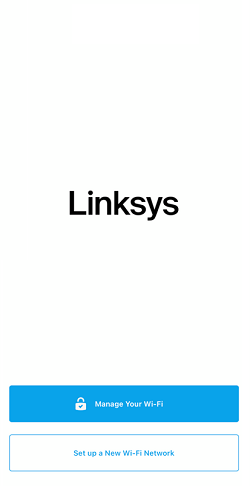
For Android, tap Log in.

Tap on Router Password and enter your password. If you don't remember your password, tap Reset password to recover the password.
3. If you have multiple existing networks, select a network to continue.
4. After logging in, you will be taken directly to the Linksys app dashboard. To see more Linksys app features, tap on the menu icon on the top left-hand side.
Your WiFi name will appear at the top of the menu list. The Devices section will display the total number of connected clients. The number of clients configured with the Parental Controls feature will also be displayed.
In bridge mode, you will not be able to use Devices, Parental Controls, and Priority.

