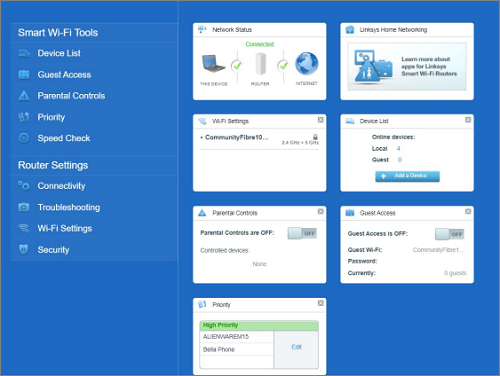
This article will give you instructions on how to log in to the Linksys SPNMX56CF through its web interface.
Note that this article assumes that the Linksys SPNMX56CF is already set up.
Directions
Steps and images may vary depending on your computer's operating system.
1. Connect your computer to the WiFi name (SSID) of your router.

2. Open a web browser, enter "192.168.1.1", and then press [ENTER].
Note that the default IP address is 192.168.1.1. If the upstream device uses the same IP address, the node will automatically use a different ethernet (LAN) IP address to avoid any conflict.
3. Click on the mobile image to access the node.

4. If you have customized the router’s password, enter the password and click Sign in.
If the administrator password has never been changed, you will be prompted to customize it before you can log in. Click on Reset password and follow the instructions to change your password.

Once logged in, you will be taken to the node's dashboard.