How to configure the Priority settings

How does the Priority feature work?
With the Priority feature, you can choose up to three devices – wired or wireless – to move to the front of the WiFi line. The rest of the devices on your network will share the remaining bandwidth. You might want to assign priority to work devices, devices that stream videos, or devices that you use for online gaming.
How do I Prioritize Video Calls?
Some MX series routers also allow you to prioritize devices when they use video-calling applications. Right now, that means any device – wired or wireless – that starts or joins a Zoom or a Microsoft® Teams video conference will have priority over all other devices, which will share the balance of your bandwidth. This way, your video calls will have the most speed and throughput possible. Video call prioritization is currently only supported on Linksys MX4000 Series (MX4200, MX4200 v2, MX8400, and MX12600).
This article will show you how to use the Priority feature.
Using the Priority feature on the Linksys router web interface
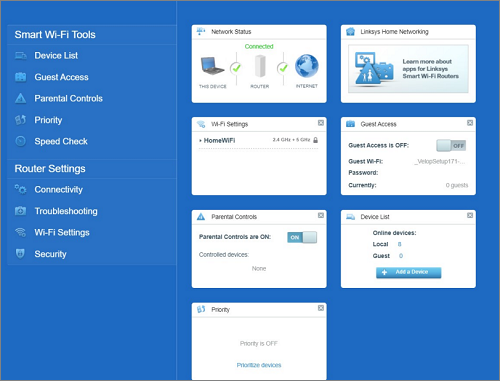
The Priority feature is also available on the Dashboard. You can configure the Priority feature by selecting Priority under Smart Wi-Fi Tools. From there, you can choose Video Calls and By Device.
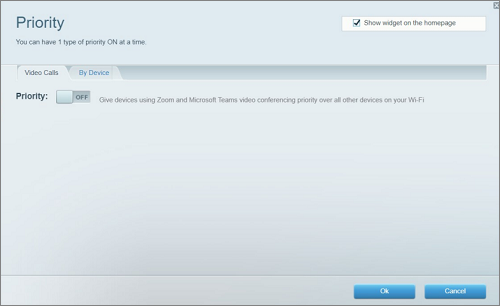
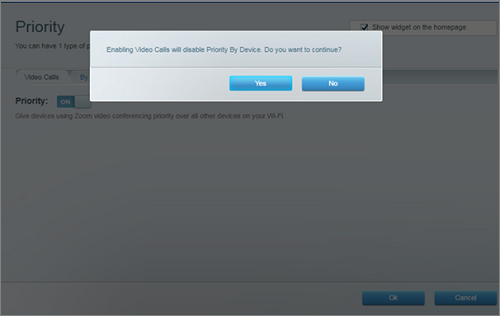
To enable Priority by Video Calls, toggle the Priority switch to ON and press Yes.
With the Priority feature, you can choose up to three devices – wired or wireless – to move to the front of the WiFi line. The rest of the devices on your network will share the remaining bandwidth. You might want to assign priority to work devices, devices that stream videos, or devices that you use for online gaming.
How do I Prioritize Video Calls?
Some MX series routers also allow you to prioritize devices when they use video-calling applications. Right now, that means any device – wired or wireless – that starts or joins a Zoom or a Microsoft® Teams video conference will have priority over all other devices, which will share the balance of your bandwidth. This way, your video calls will have the most speed and throughput possible. Video call prioritization is currently only supported on Linksys MX4000 Series (MX4200, MX4200 v2, MX8400, and MX12600).
This article will show you how to use the Priority feature.
Using the Priority feature on the Linksys router web interface
The Priority feature is also available on the Dashboard. You can configure the Priority feature by selecting Priority under Smart Wi-Fi Tools. From there, you can choose Video Calls and By Device.
To enable Priority by Video Calls, toggle the Priority switch to ON and press Yes.
To enable Priority By Device, toggle the Priority switch to ON and click Yes.
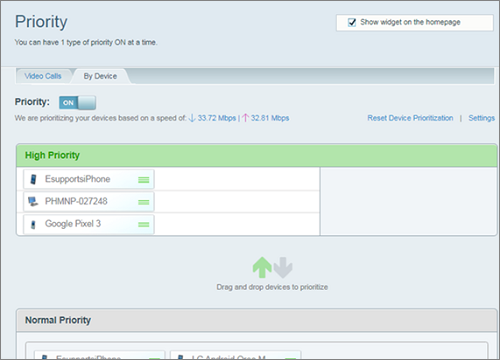
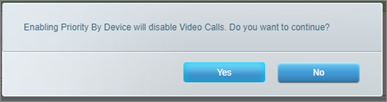
Enabling Priority By Device will disable Video Calls. You may only choose one method of priority at a time. For example, if you change from Video Calls to By Device, Video Calls will then be turned OFF.