Skip to content
You are using an unsupported browser. Please update your browser to the latest version on or before July 31, 2020.
You are viewing the article in preview mode. It is not live at the moment.

Overview of the Guest Access feature in Linksys routers

The Guest Access feature allows you to create a separate WiFi for your guests without allowing them to access your main network and the computers connected to it. 
 

If you're connecting other networking devices, such as an extender, they should be configured to use the main network, not the guest WiFi. Keep in mind that any client connected to the extender will have internet access only, not access to the main network.


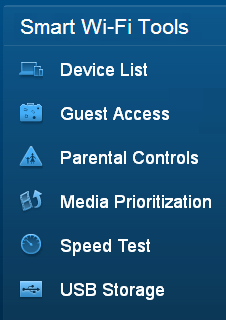
Blue navigation menu titled "Smart Wi-Fi Tools" listing six options with icons: Device List, Guest Access, Parental Controls, Media Prioritization, Speed Test, and USB Storage.
 

The Guest Access settings vary by model. 

i. Routers that support one guest WiFi on the 2.4 GHz
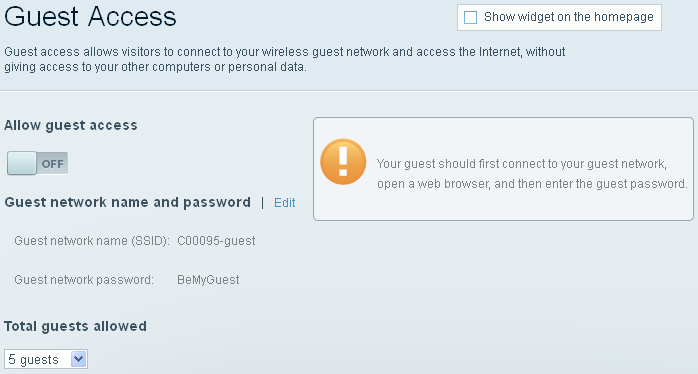
 
"Guest Access" settings page showing the "Allow guest access" toggle set to OFF, SSID "C00095-guest," password "BeMyGuest," "Total guests allowed" set to "5 guests," and an orange exclamation mark notice explaining how guests connect.

ii. Dual-band or tri-band routers that support dual-band guest WiFi
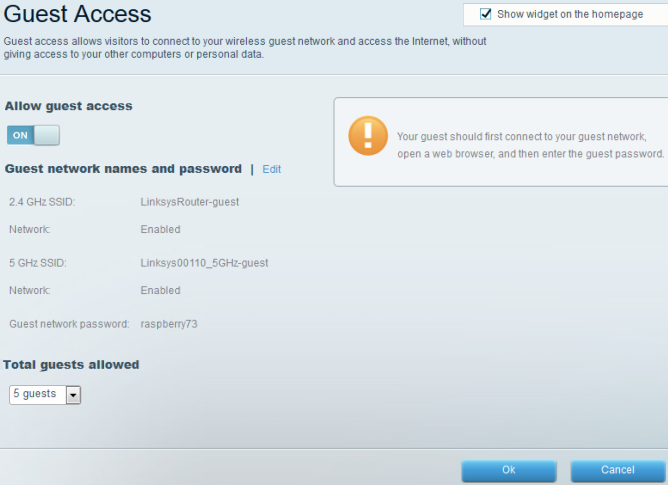
 
"Guest Access" settings page with "Show widget on the homepage" checked, "Allow guest access" toggled ON, enabled 2.4 GHz and 5 GHz guest SSIDs, password "raspberry73," "Total guests allowed" set to "5 guests," and "Ok" and "Cancel" buttons at the bottom.


This section will show you how to enable Guest Access manually.

 
1. Log in to the router's web interface. 
 
2. Click Guest Access.


Blue navigation menu titled "Smart Wi-Fi Tools" listing six options with icons: Device List, Guest Access, Parental Controls, Media Prioritization, Speed Test, and USB Storage.


3. Toggle the button below, Allow guest access, to enable Guest Access.
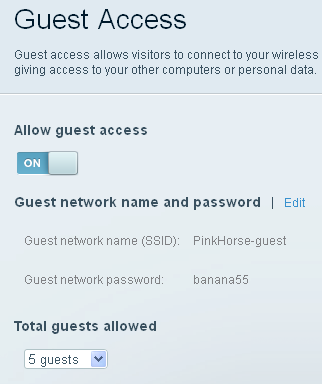
 

"Guest Access" settings page showing the "Allow guest access" toggle set to ON, guest SSID "PinkHorse-guest," password "banana55," and "Total guests allowed" set to "5 guests."


4. Click Edit if you would like to change the guest WiFi name and password.
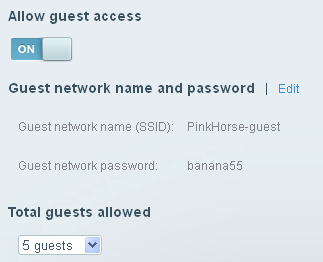
 

Guest access settings showing the "Allow guest access" toggle set to ON, guest SSID "PinkHorse-guest," password "banana55," and "Total guests allowed" set to "5 guests."
 
5. Enter your desired settings. You can allow up to 50 guests to connect simultaneously.

6. Click Ok to save your settings.
 
Your guests can now connect to your WiFi to access the internet.

NOTE: The guest WiFi is a different network from the main network and will NOT have access to any devices connected to the main network.

Was this support article helpful?

5 out of 13 found this helpful

Contact Us:
Call Us Access our list of global support numbers
Reddit Join and subscribe to our Official Reddit Community

Linksys
Now
Support