


Configuring Client Steering and Node Steering on your mesh router

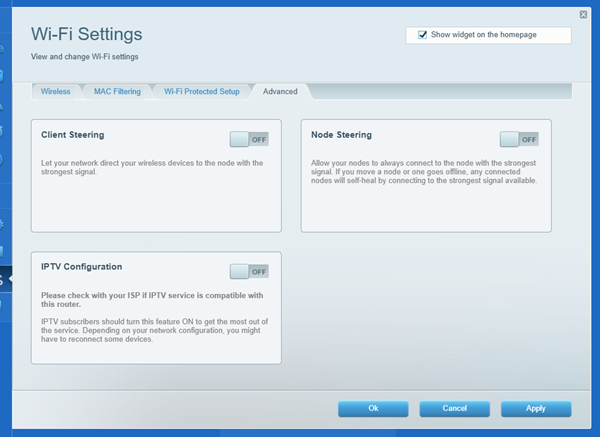
The WiFi Settings widget on the router’s web interface now has a new Advanced tab where you can configure Client Steering and Node Steering. Client and Node Steering are OFF by default. Turn them ON as needed.

Dynamic Frequency Selection (DFS)
Some routers support Dynamic Frequency Selection (DFS). The DFS option may be enabled by default or disabled depending on the model and region. If you have DFS enabled, you can disable it if you have clients that do not support DFS channels and are unable to connect to the 5 GHz band.
IPTV Configuration
This feature may appear on certain models, such as the Linksys MX4200, but this feature is only supported for PCCW IPTV subscribers. If you are a PCCW IPTV subscriber, you can enable this feature.
When you enable this feature, the default IP address of the router changes to 192.168.10.1. If you ever need to access the router's web interface again, make sure to use the new IP address.
Some routers support Dynamic Frequency Selection (DFS). The DFS option may be enabled by default or disabled depending on the model and region. If you have DFS enabled, you can disable it if you have clients that do not support DFS channels and are unable to connect to the 5 GHz band.
IPTV Configuration
This feature may appear on certain models, such as the Linksys MX4200, but this feature is only supported for PCCW IPTV subscribers. If you are a PCCW IPTV subscriber, you can enable this feature.
When you enable this feature, the default IP address of the router changes to 192.168.10.1. If you ever need to access the router's web interface again, make sure to use the new IP address.

